





















Remote Description
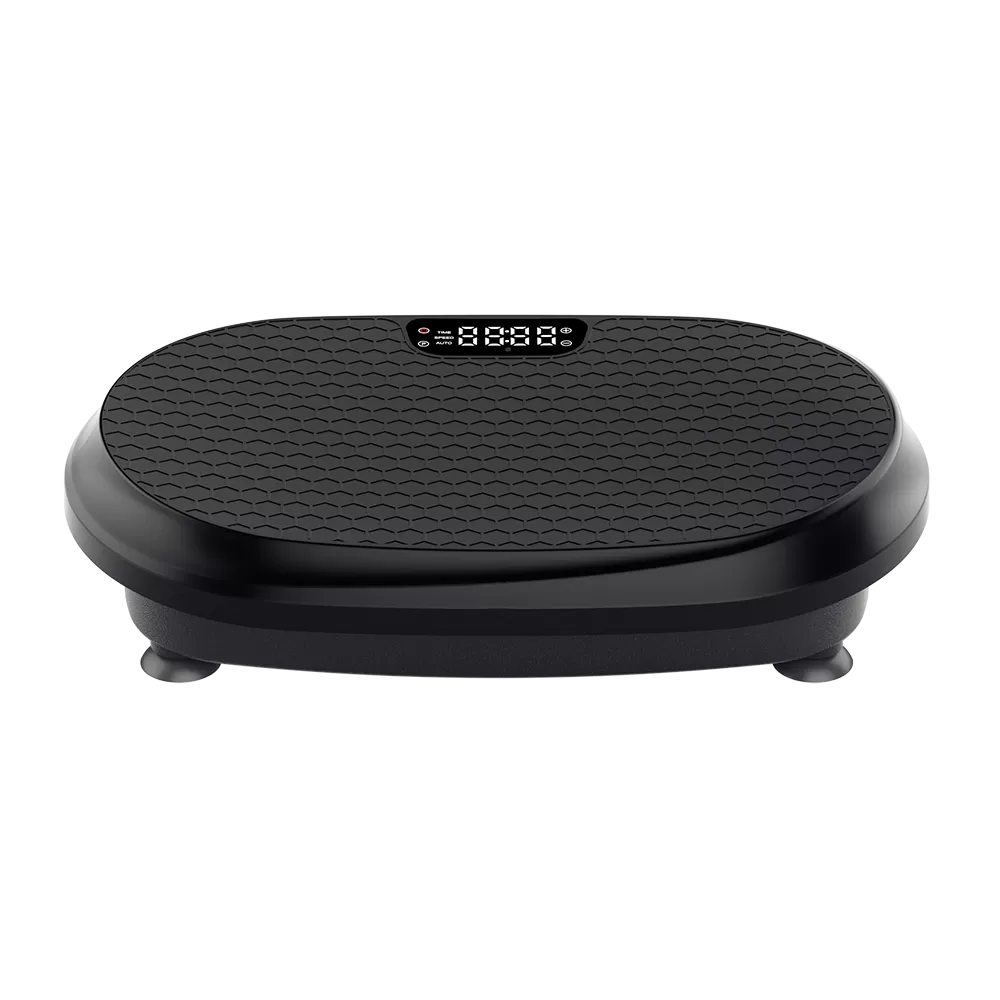
Plug in the power switch and start the main power switch on the machine. A beep indicates normal power on, and the display screen shows"----." At this moment, the machine enters the standby mode.
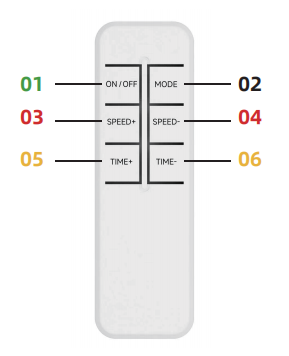
01. “ON/OFF”: Press the 01 button to start the machine. By default, it will enter the first level of the manual mode at this time, and “H001” will be displayed on the screen. The default time is 10 minutes.
02. “MODE”: Press the 02 button. By default, it enters the first level of the auto mode, with“P001”shown on the screen. The default time is 10 minutes. (You can select 6 modes with the 02 button, including 5 auto modes from “P001”to “P005” and 1 manual mode“H001”).
03-04. “SPEED +”and“SPEED -”: You can adjust the speed by pressing the 03 or 04 button. In the manual mode, there are 20 speeds available, ranging from “H001” to “H020”. NOTE: In the auto mode, pressing either “SPEED +”or “SPEED -”will enter the first level of the manual mode by default, and the screen will display“H001”.
05-06. “TIME +”and“TIME -”: The default time for both auto and manual modes is 10 minutes. You can adjust the time by pressing the 05 or 06 button in both auto and manual modes. The minimum time is 1 minute and the maximum time is 15 minutes.



